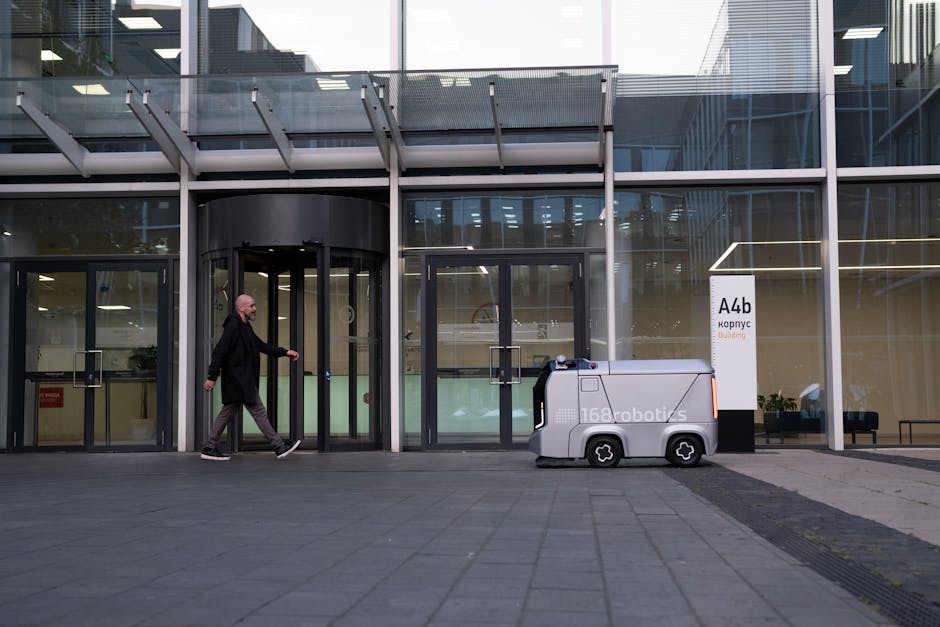
Understanding the Potential of AI in Daily Automation
Artificial Intelligence (AI) is rapidly transforming how we live and work, offering powerful tools to automate a multitude of daily tasks. This technology isn’t just for large corporations; it’s becoming increasingly accessible to individuals looking to streamline their routines and free up time for more meaningful activities. Before diving into specific applications, understanding the underlying principles is crucial. AI, in this context, encompasses a range of techniques, including machine learning (ML), natural language processing (NLP), and robotic process automation (RPA). ML allows systems to learn from data without explicit programming, NLP enables machines to understand and process human language, and RPA uses software bots to automate repetitive tasks. The key to successful AI automation lies in identifying suitable tasks, selecting the right tools, and implementing them effectively.
Identifying Tasks Ripe for Automation
Not all tasks are created equal when it comes to AI automation. The ideal candidates are repetitive, rule-based, and data-driven. Consider tasks that consume a significant portion of your day and require minimal human judgment. Examples include:
- Email Management: Sorting, filtering, and even responding to routine emails.
- Social Media Scheduling: Planning and posting content across various platforms.
- Data Entry: Transferring information between spreadsheets, databases, and documents.
- Calendar Management: Scheduling meetings, sending reminders, and managing appointments.
- Bill Payment: Automating recurring payments and tracking expenses.
- Report Generation: Compiling data and creating summaries.
- Web Scraping: Collecting data from websites for research or analysis.
- File Organization: Automatically renaming, categorizing, and backing up files.
- Simple Customer Service: Answering frequently asked questions via chatbot.
- Personal Finance Tracking: Monitoring spending and budgeting.
By pinpointing these time-consuming tasks, you can begin exploring AI solutions designed to alleviate your workload. When choosing which tasks to automate first, prioritize those that offer the highest return on investment (ROI) in terms of time saved and reduced errors.
Leveraging AI Tools and Platforms
The AI landscape is vast and constantly evolving. Several user-friendly tools and platforms are available to help beginners automate daily tasks:
- IFTTT (If This Then That): A web-based service that allows you to create applets that automate tasks between different services. For example, you can automatically save Instagram photos to a Dropbox folder or receive a notification when it’s going to rain. It operates on a simple “if this, then that” logic, making it easy to understand and use.
- Zapier: Similar to IFTTT, Zapier connects various applications to automate workflows. It offers more complex integrations and supports a wider range of apps. It is particularly useful for automating business processes, such as sending emails based on new leads or updating spreadsheets with information from online forms.
- Google Assistant/Amazon Alexa: These voice assistants can automate a variety of tasks, including setting alarms, playing music, controlling smart home devices, and even making phone calls. They can be integrated with other apps to perform more complex actions.
- Microsoft Power Automate: A powerful automation platform designed for business users. It allows you to create workflows that automate tasks across Microsoft Office applications and other services. It is particularly useful for automating tasks such as data entry, report generation, and email processing.
- Otter.ai: A transcription service that uses AI to automatically transcribe audio recordings. This can be useful for taking notes during meetings or creating transcripts of interviews.
- Grammarly: An AI-powered writing assistant that helps you improve your grammar, spelling, and style. It can be used to proofread emails, documents, and other written content.
- Chatbots: Platforms like Dialogflow (Google) and Amazon Lex allow you to build chatbots that can automate customer service inquiries or provide information to users. These can be integrated into websites or messaging apps.
- RPA Software (UiPath, Automation Anywhere): While often used by businesses, some RPA tools have free or low-cost options for personal use. They can automate repetitive tasks within software applications, such as extracting data from websites or filling out forms.
When selecting an AI tool, consider factors such as ease of use, cost, integration with existing systems, and the level of customization required. Start with simpler tools like IFTTT or Zapier and gradually explore more advanced options as your skills develop.
Implementing AI Automation: A Step-by-Step Guide
Automating daily tasks requires a structured approach. Here’s a step-by-step guide to get you started:
-
Define Your Goal: Clearly define what you want to achieve with automation. For example, “Reduce time spent managing emails by 50%.” A specific goal provides a clear target and allows you to measure your progress.
-
Task Analysis: Break down the chosen task into smaller, more manageable steps. For instance, email management might involve checking inbox, filtering spam, categorizing emails, and responding to routine inquiries.
-
Tool Selection: Choose the appropriate AI tool or platform based on the task’s requirements and your technical skills. Research available options, read reviews, and consider free trials before committing to a particular solution.
-
Workflow Design: Create a detailed workflow outlining how the AI tool will automate the task. This might involve setting up rules, configuring integrations, and training the AI model.
-
Configuration and Testing: Configure the AI tool according to your workflow design. Thoroughly test the automation to ensure it functions correctly and produces the desired results. Monitor the automation closely during the initial stages to identify and address any issues.
-
Optimization and Refinement: Continuously monitor the performance of the automation and make adjustments as needed. Fine-tune the rules, integrations, and AI model to improve efficiency and accuracy. Regularly review your automated workflows to ensure they remain effective and aligned with your changing needs.
-
Security Considerations: When connecting multiple applications with AI tools, ensure you take security seriously. Use strong passwords, enable two-factor authentication where possible, and only grant necessary permissions to the applications. Review the privacy policies of the services you are using to understand how your data is being handled.
Examples of AI Automation in Action
- Automated Email Responses: Using Gmail’s Smart Reply or similar AI-powered tools to automatically suggest responses to common emails. This saves time and effort, especially for simple inquiries.
- Smart Calendar Scheduling: Using scheduling tools like Calendly or Doodle to automatically schedule meetings based on your availability and the availability of other participants.
- Social Media Content Curation: Using AI-powered tools like Buffer or Hootsuite to automatically curate and schedule social media content. This can help you maintain a consistent social media presence without spending hours manually searching for and posting content.
- Automated Data Entry: Using RPA software to automatically extract data from emails, invoices, or other documents and enter it into spreadsheets or databases.
- Smart Home Automation: Using voice assistants and smart home devices to automate tasks like turning on lights, adjusting the thermostat, and playing music.
Overcoming Challenges and Embracing the Future
While AI automation offers significant benefits, it’s essential to be aware of potential challenges. These include the initial learning curve, the need for ongoing maintenance, and the potential for errors. Start small, gradually expand your automation efforts, and be prepared to troubleshoot issues as they arise. Regularly update your AI tools and workflows to take advantage of new features and improvements.
The future of AI automation is bright. As AI technology continues to advance, we can expect to see even more sophisticated and user-friendly tools emerge. This will enable individuals to automate an even wider range of daily tasks, freeing up time for more creative, strategic, and fulfilling activities. Embrace the possibilities and begin exploring the transformative potential of AI in your daily life.